The wordmark
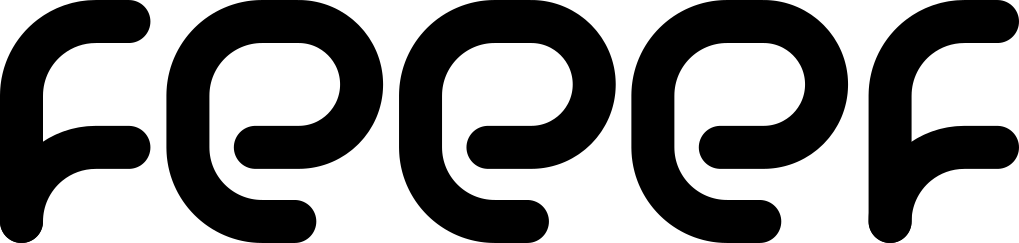
Primary identityUse the full name when introducing feeef. Keep the three e’s together.
Brand resources
Our name, our colors, our unmistakable f.
The original artwork and a guide to using it well.
Start with the wordmark. Use the f when the context already says feeef. Every download preserves the original geometry.
Use the full name when introducing feeef. Keep the three e’s together.
For avatars, app icons, and spaces where feeef is already known.
SVG stays sharp at any size. PNG exports have transparent backgrounds. The color f is the same on light and dark surfaces; only the wordmark’s black lettering switches to white.
Our primary color is feeef green, #72ce5d. The lighter green is an accent in the f, not a replacement for the primary color.
Primary brand color. Identity, emphasis, and key brand surfaces.
RGB 114, 206, 93The second stroke of the f. Keep it paired with feeef green.
RGB 134, 230, 114The wordmark lettering on light backgrounds.
RGB 0, 0, 0The wordmark lettering on dark backgrounds.
RGB 255, 255, 255Use dark text on green surfaces. Green on white is a brand accent, not a readable body-text color.
White on feeef green has a contrast ratio of 1.96:1 and fails WCAG AA for normal text. The black and white logo variants are artwork colors, not a complete interface theme. For print, convert the sRGB artwork using your printer’s ICC profile and approve a proof.
Recognition comes from consistency. Keep the shape, proportions, letter spacing, and approved colors unchanged.
Leave at least one stroke width around every edge. In the source artwork, X is 43 units, about 18% of the logo’s height. Keep text, borders, and other marks outside this space.
As a display guideline, keep the wordmark at least 120 CSS pixels wide and the f at least 24 CSS pixels high. Check the actual output at smaller sizes, especially favicons and print.
PNG canvas padding is built in for convenient placement. It does not replace the surrounding clear space in your layout.
Choose an approved variant and a clean background. Scale proportionally.
Keep the wordmark wide and the f upright. Never force either into a different shape.
No recoloring, rotation, shadows, outlines, or gradients. Use the provided monochrome files when color is unavailable.
Use these assets to identify feeef in product integrations, documentation, editorial coverage, and presentations. Don’t imply sponsorship, certification, or endorsement that hasn’t been agreed. Downloads are brand artwork, not a claim of partnership.
Write feeef in lowercase, including at the beginning of a sentence. It is f + e + e + e + f.
Use plain text for the name in a sentence. Use the supplied vector wordmark for a logo; never retype it in a similar font.
Say what something does. Prefer a clear next step to a grand claim. Explain technical terms when they matter.
Pair the logo with a readable sans serif and generous line spacing. The wordmark is custom artwork, not a downloadable typeface.
“Connect your store to feeef. Add your products, choose a template, and make it yours.”
Our loading animation draws the f, brings in the three e’s, and settles into the full wordmark. Try the original movement, give it a frame, and download the result.
Play once, pause, or scrub to inspect any moment. The preview starts on the finished mark.
Your animation is generated in your browser. The logo keeps its original proportions and path motion.
The supplied loading sequence lasts 3.033 seconds. Adjust playback speed for your context. Use 160–240 ms for simple interface feedback.
Let the animation finish on the intact mark. Avoid endless loops, spinning, and bouncing. Keep loading status available as text.
Show the finished logo immediately when prefers-reduced-motion: reduce is set. Never hide essential information behind an animation.
The original SVG uses #49d249 and #60ea60. The ready-to-use version uses the current feeef greens, #72ce5d and #86e672. Both palettes are available in the playground. Download the unchanged source SVG.
The complete kit includes the source Illustrator document, original SVGs, approved SVG variants, transparent PNG exports, and a written guide.
The AI file is the editable Illustrator source. Use SVG or PNG in websites and documents. RGB colors are specified in sRGB; exact print output depends on paper, ink, and color management.
Always write feeef in lowercase: one f, three e letters, then one f. Keep this spelling at the start of a sentence and in headings. Write feeef.dev for the developer website. Preserve the exact spelling of technical identifiers inside code.
The primary feeef green is #72ce5d, RGB 114, 206, 93. The lighter green #86e672, RGB 134, 230, 114, is the supporting highlight in the supplied f artwork. Use black or dark text on green; white text on the primary green has insufficient contrast for ordinary text.
Use the dark-background wordmark: its e letters and final f are white, while the first f keeps the two original greens. Use the light-background wordmark with black letters on a light surface. Both versions preserve the same path geometry and proportions.
Use the standalone f when feeef is already identified nearby or when a compact mark is needed, such as an avatar, app icon, or favicon. Use the full wordmark to introduce the brand. Center the narrow f inside square containers without stretching it.
The brand page provides SVG and transparent PNG downloads for the wordmark and standalone f, light and dark wordmarks, and black and white monochrome versions. It also provides the original feeef_brand.ai Illustrator file, the supplied static and animated source SVGs, and a ZIP containing the complete asset kit. The animation playground creates customized SVG, PNG, GIF, animated PNG, and supported MP4 exports.
Leave at least one logo-stroke width around the artwork: 43 source SVG units, approximately 18% of the logo height. These guidelines recommend a minimum wordmark width of 120 CSS pixels and a minimum symbol height of 24 CSS pixels. Check small raster exports individually, especially favicons.
Use the supplied all-black or all-white monochrome files when a single-color treatment is needed. Choose the version with the clearest contrast against the background. Preserve the paths, proportions, and spacing; do not add outlines, shadows, gradients, or additional colors.
Use the supplied loading sequence when introducing the mark. At normal speed it takes approximately 3.033 seconds, then settles on the complete logo. Run it once, with playback and replay controlled by the viewer. Show the complete static logo when reduced motion is preferred. Avoid continuous loops, flashing, or animation that delays access to content.
The animation playground lets you set canvas size, padding on each edge, speed, colors, background, and frame shape without stretching the artwork. Choose square, rounded, or superellipse corners. Corner radius controls the corner footprint and curve controls the superellipse profile. The superellipse is an approximation inspired by iOS icons, not an official Apple icon mask.
Use SVG for scalable browser animation, PNG for a final static frame, and animated PNG (APNG) for animation with full transparency. GIF works in many image contexts but has a 256-color palette and one-bit transparency. MP4 uses a solid matte because this export does not support transparency. Ready-made files are downloadable directly; custom MP4 generation requires a supported H.264 browser encoder. Customized exports are generated locally in the browser.