Sell from any page with two lines of HTML
Feeef embeds put a product's order form on a blog, a WordPress site or a link-in-bio page. The frame sizes itself, follows the site's theme and reports each order.
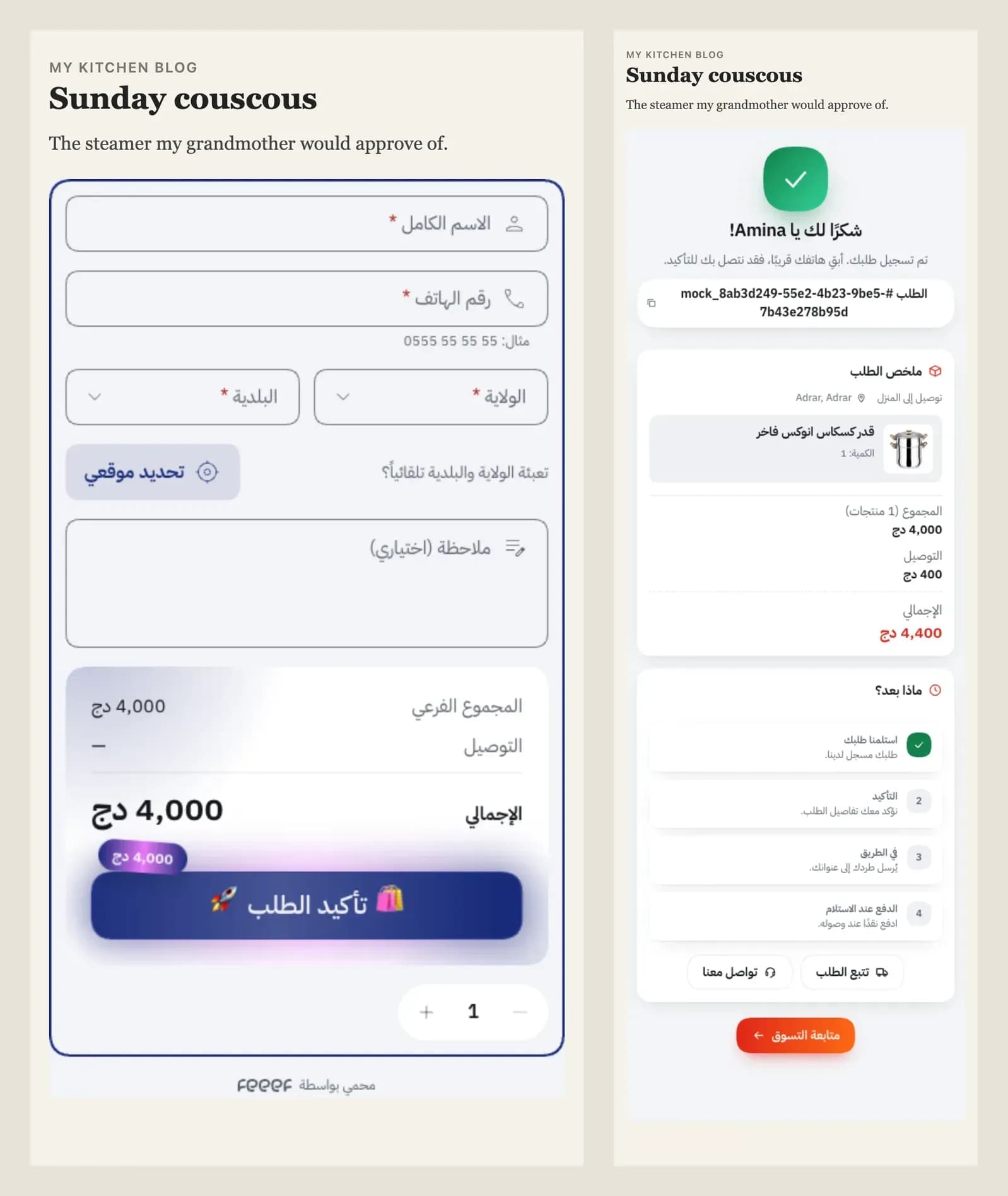
Many of our merchants sell through somebody else's page: a recipe blog, a WordPress review, a link-in-bio. Until now the best they could do was a link to the store, and every extra page between the post and the order loses shoppers.
Embeds remove that page. The shopper fills the order form where they already are, and the site never changes.
A real example
Say a kitchen blog writes about Sunday couscous and wants readers to order the steamer from the
chlorine-template demo store. The post adds:
<feeef-embed product-id="h8yprwzlvt9c" theme-mode="auto"></feeef-embed>
<script src="https://chlorine-template.alpha.feeef.store/_h/embed.js" async></script>
product-id is the steamer's id (its slug, marmite-a-vapeur-pour-couscous-inox, works too), and
the script tells the element which store it belongs to.
That's all. The picture at the top is that post: the order form fills the blog's column, and after the order the thanks page opens inside the same frame.
By default an embed is the order form only: the product's options, offers and add-ons, the customer fields, the summary and the button. No gallery, title or price; the blog already shows the product. Under it sits a small "Protected by feeef" line, which a template can move or leave out.
It fits the site
embed.js is about 2 KB gzipped. It makes each frame exactly as tall as its content, so there's
never a scroll bar inside, and it keeps doing that when the shopper picks an offer or the
commune list opens. Photos and dialogs open over the whole page, not squeezed into the frame.
The frame also follows the site's theme. It reads the page's data-theme, a dark class or
color-scheme, falls back to the visitor's system setting, and switches when the site does.
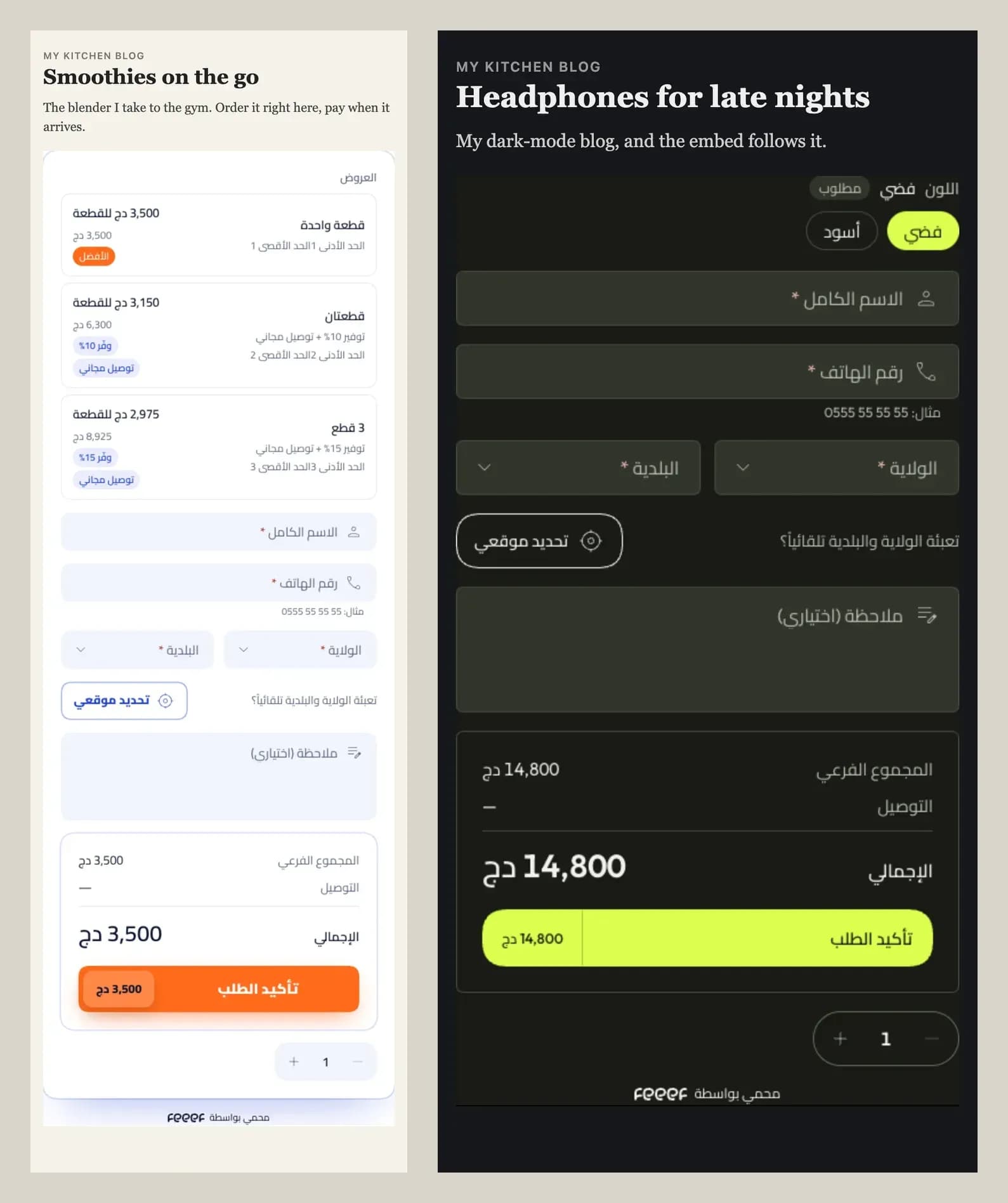
Each template decides how its embed looks. It can ship its own embed layout, or style
html[data-embed] in its CSS; without either, the store's default layout is used with its
header and footer removed.
The site knows about the sale
Every order sends a feeef:order event to the page that holds the embed, so the blog can count
the sale in its own analytics:
For the steamer above the event carried total: 4400, currency: "DZD" and one item. The
frame sends this only to the page that loaded embed.js, never to any page that happens to
frame it. Orders that the store's bot protection stops send nothing.
The merchant keeps everything the order form does
The embed isn't a lighter copy of the checkout. It's the store's own order form, so it does the same job there: the bot and fraud protection, the draft that recovers an abandoned order, and the store's Meta, TikTok and Snapchat pixels, which see the visit, the lead and the purchase as if the shopper were on the store. Server-side conversions go out too, deduplicated with the browser events, which matters because some browsers limit pixel cookies inside frames.
Embed orders arrive with source: embed and name the site that sold them, so merchants can see
which blogs bring in orders.
Safe by default
A store's normal pages (home, products, checkout) can still only be framed by the store itself.
Only /embed/* pages can be shown on other sites, and a merchant can turn embeds off or limit
them to their own sites:
{ "configs": { "embed": { "enabled": true, "allowedHosts": ["blog.example.com"] } } }Try it
Any published product works at /embed/products/<slug> on its store, and store pages at
/embed/pages/<slug> (<feeef-embed page="...">). The embeds guide lists every option, the
JavaScript API and how to design the embed in a template.